
so my newest EMS/Detection/Fire Resilience experiment is implementing the system at my home and my shop in Hood River. I previously stated that once I had the prototype of the project files to dump into Claude, that it only took four hours to implement. That was misleading–I took four hours to get the integrated software configured and working–the hardware was already mostly in place. I’m building the hardware side from scratch at both Hood River locations, and it’s taking much, much longer–several days of steady work so far, and more to come. Part of the reason is that these locations are more complex and very different from our Maui home, and part of it is that I need to build some special equipment to make the system work. Also, our home in Hood River doesn’t have solar or a battery–there’s too much shade on the roof from mature trees for rooftop solar, no room in the yard for ground mounts. The only viable location is the garage roof which is mostly exposed to the east and west with a small southern exposure.
I have the cameras installed and working and a Raspberry Pi 5 Frigate server running. I haven’t trained the recognition yet. The relatively wimpy Coral TPU is not really up to the task. It supports the AI functionality already in Frigate to recognize vehicles, people, and animals and reduces the CPU load substantially but the available fire and smoke detection training really demands the HAILO 8L TPU. It’s not just the difference in processing power (13 TOPS vs. the Coral’s 4 TOPS) but it’s also the suite of tools that support the TPU, The HAILO chipset has much better support for YOLOv8 and modern (modern meaning VERY recent) architectures via HailoRT. I’d just switch to HAILO right now, but we still have a release incompatibility issues that hasn’t been resolved, so I need to wait for that to fully deploy HAILO. Fire/smoke detection is a natural fit for The HAILO and not for the Coral.
That’s not a showstopper, fire recognition at the house is kind of just a demo anyway. In the more crowded environment of downtown Hood River the cameras really don’t see far enough to be useful for fire detection and warning. The detection component of the system doesn’t rely on just cameras. We also use NASA FIRMS, NWS alerts, and will add any local warnings that have an API or that can be parsed into useful data. Even in the more useful environment of our Maui property and my shop, a vision model that’s 80% precision is insufficient alone but is useful as one input to a multi-signal alerting automation. Smoke detection via PurpleAir, + FIRMS hotspot within 2mi + camera detects smoke-like motion → high confidence alert. Any one of those alone → low confidence. I’m researching the local warning system for inclusion.
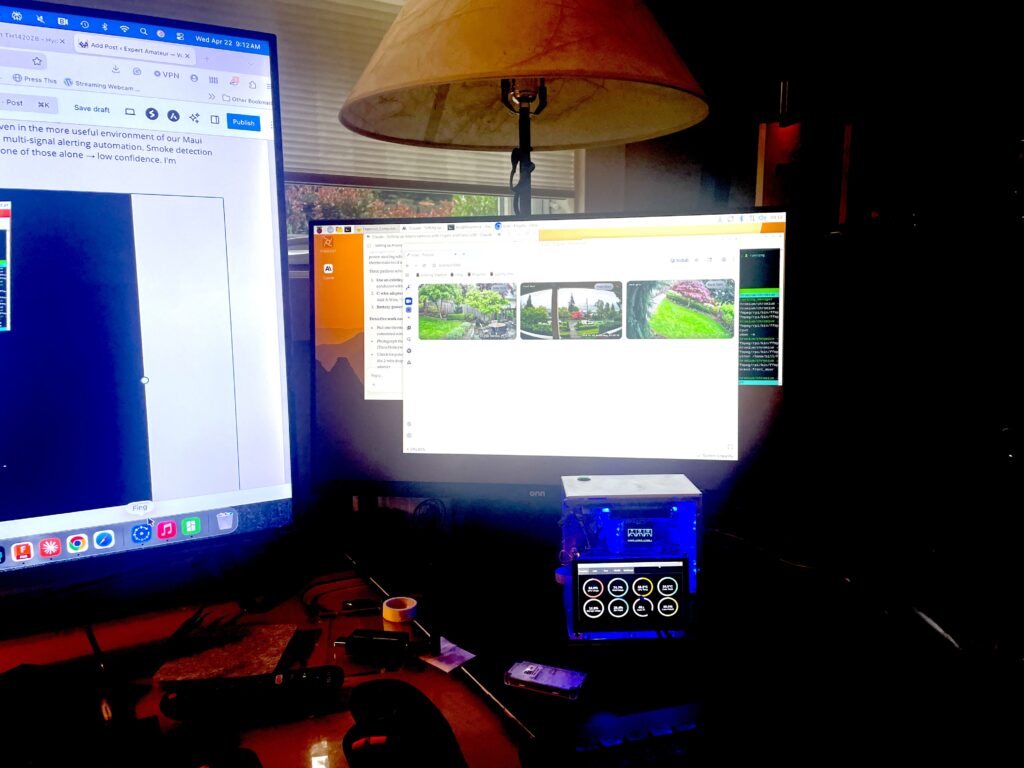
In the meantime, there is plenty to do to keep me busy. The Hood River house has a sophisticated HVAC system–whole house AC + Gas Furnace for warm air plus zoned radiant heating in the concrete floors. Even the upstairs has a concrete floor with hydronic radiant heat. The six zones are controlled by Wirsbo hydronic radiant thermostats which I’m going to replace with smart thermostats. Radiant heat is problematic to control because is the long lag time and the difference between air temperature and the temperature of the slab.
The thermostats that would do the job very well are Nordik Radiant TH1420ZB thermostats–perfect for the job with Zigbee integration, 24V, purpose-built for hydronic. Unfortunately they are $170 each and I need six of them. So yikes. Fortunately I have almost everything I need to make my own with ESP32 microcontrollers, which I have dozens of, using Home Assistant’s ESPHome which has a native climate platform with a thermostat component that does hysteresis, minimum run/idle times, and anti-short-cycle logic out of the box. It exposes as a proper climate entity in HA — setpoint, current temp, hvac action, the works. So the tough part–making it meet the specific needs of hydronic radiant heating–is mostly done. So instead of ~$1,000 retail for 6 thermostats I’m looking at roughly $25–40/zone in parts, which will give me full HA-native control and it’s right in the middle of my whackjob wheelhouse. It will make for one heck of a good video titled something like “I replaced $1,000 of commercial thermostats with $200 of parts”. So yeah, I’m going to do that. And not just because I can, but because
Claude is enthusiastic about the project, which is more important than a casual AI user might realize. I’ve trained Claude to be very frank about which of my ideas are stupid (my initiating prompt is multiple pages long and reads like an ADHD description) so he can be quite brutal in listing pros and cons. Here’s what Claude says:
Where the honest tradeoffs are
Temp sensor placement matters more than you think. Commercial thermostats spend engineering effort on sensor isolation from the wall (thermal bridging from the stud cavity causes a cold bias, especially on exterior walls). If you surface-mount a DHT22 flat to the backplate of a metal box on an exterior wall, you’ll read 2–3°F low. Easy fix — standoff the sensor, or use a small remote sensor on a short cable — but worth planning for. This is the #1 thing amateur builds get wrong. (I plan to include a floor temp sensor as well).
Radiant floor lag is unforgiving of bad control logic. Hydronic radiant has a thermal response measured in hours, not minutes. The thermostat component in ESPHome handles this fine if you set generous min_idle_time (I’d start at 30 min) and a wide deadband (1.0–1.5°F). Tight hysteresis on radiant is how you get overshoot and then a cold house for 4 hours while it catches up.
Wi-Fi vs. Zigbee for critical loads. Heat is arguably more critical than lights. Wi-Fi thermostats are fine but have one more failure mode than Zigbee (your Wi-Fi AP). With six nodes on the mesh network that already carries Frigate traffic, it’s not a big deal, but worth acknowledging. Mitigation: set up an offline fallback via HA’s automation engine, and — this is the key one — put a physical manual override back in the boiler room. The SR501 and ZVC406 have thermostat terminals that a $15 Honeywell CT87N round mechanical thermostat can drive in an emergency. You’re not going to get stuck in a freezing house because Home Assistant crashed. (What Claude doesn’t realize is that we don’t rely on the radiant heat currently, its underutilized. The forced air furnace is the fallback).
No LCD, no local control, by default. Commercial thermostats have buttons on the wall. If Diane wants to bump the temp up and HA is down, or she just doesn’t want to open an app, you need something on the wall. An OLED + rotary encoder handles this in ~30 lines of YAML and adds about $10/zone. I’d consider it non-optional. (I do too–I plan to add both)
Enclosure/finish is the thing that separates a “cool hack” from “my wife will tolerate this on the wall.” Your shop solves this — a clean CNC’d or 3D-printed faceplate with a recessed OLED looks great. But budget real time for the physical design, not just the electronics.
Claude’s recommendation
Build one first, on the SR501 zone (Zone 1) since it’s physically isolated from the other five. If it works for a full heating cycle — meaning you get clean calls for heat, no short cycling, temp actually hits setpoint, and Diane doesn’t complain about the UX — then roll out the other five. If it doesn’t work well, you’ve burned $40 and a weekend, and you buy six Nordiks. Don’t build all six at once. Radiant heat problems show up at the 24–48 hour timescale, not in bench testing.
So that’s my project for the next few weeks while I recover from getting my knee replaced.