
This is a demonstration of how you can work with the EMS system to have it precisely suit your needs. We’re getting closer to a release for the system. If you can’t wait for the tested and proven version and want to start playing around let me know in the comments of the included video. I can send you a file to dump into Claude. It won’t be pretty, it won’t be perfect. But it’s fun.
Your phone knows when you leave home. Your EMS knows how much solar you’re producing. But does your system know whether anyone is actually in the room it’s trying to cool? Without that piece, you’re might still be running AC into empty spaces — and that gap cuts the efficiency gains we’re doing all this for. Or maybe you just don’t like determining presence with your phone. No problem–get Clause to change it. This post is an example of how you can work with Claude to do very sophisticated things your way. You can use a cheap presence detector to manage AC. It won’t have the house at your preferred temperature when you walk in the door, other than that, it’s fine. Or you could use the sensor as an automatic backup if you left your phone at work, or passed through a dead coverage zone. Phone presences can be a little unreliable depending on coverage and how wedded you are to your smartphone.
The Sonoff SNZB-06P is a $15 Zigbee presence sensor that closes that loop. It uses 5.8GHz microwave radar to detect whether someone is actually in a room — not just whether something moved recently. That distinction matters more than it sounds. Typical burgler alarm infrared sensors (PIR sensors) detect motion. Radar sensors detect presence. If you’re ever had to wave your hands around to turn the lights on in a conference room you know what that isn’t ideal. Someone sitting still reading, watching TV, or sleeping will trigger a radar sensor but not a PIR. For AC management, that difference is important.
How Presence Detection Amplifies Phone-Based Arrival
We covered phone-based presence detection in previous posts — using your phone’s GPS to trigger pre-cooling before you arrive home. That’s valuable. But it only handles one scenario: the transition from away to home. Room-level presence detection can handle everything in between. You’re working from home in the office. Why is the living room AC running? You step out to the garage for 20 minutes. The living room doesn’t need cooling. You fall asleep on the couch at 9pm. The AC should stay on — but a PIR sensor would have turned it off 15 minutes after you stopped moving. The kids are home but you’re not. The system should know the house is occupied even if your phone is at the office.
Phone presence tells your EMS about the property. Room presence tells it about the space. If you have both layers you’ll have a genuinely smart system
The core automation is simple. When the occupancy sensor goes off — no presence detected — for 30 seconds, turn off the AC. When it comes back on and the room is warm, turn it back on. Thirty seconds prevents it cycling when you step out to grab a drink. Tune that to whatever feels right for your space. But here’s where it gets interesting. Layer this with your solar production sensor and your battery state of charge, and suddenly the system has real context. Nobody in the room? AC off, regardless of what the solar is doing. Someone home, solar producing, battery charged? Run the AC now, from free energy. That’s the EMS stack working the way it’s supposed to.
About the SNZB-06P Human Presence Sensor
The Sonoff SNZB-06P is a compact USB-C powered sensor that uses 5.8GHz microwave radar — the same basic technology used in automatic door openers and industrial occupancy systems, now available for $15 at Amazon or AliExpress.
What it detects
Movement — someone walking into or through the detection zone
Stationary presence — someone sitting still, breathing. The radar picks up the micro-movements of breathing at speeds as low as 3mm/s
Ambient light level — a secondary sensor that can be used to trigger automations only in dark conditions
Specs that matter
Detection range: up to 4 meters at high sensitivity
Protocol: Zigbee 3.0 — works with ZHA and Zigbee2MQTT
Power: USB-C (not battery) — needs to be plugged in, which also means no battery replacements
Timeout: configurable from 15 seconds to 65,535 seconds
Sensitivity: Low, Medium, High — affects both range and false positive rate
The USB-C power requirement is a feature, not a bug. Battery-powered sensors save power by sleeping between reads — that latency kills presence detection accuracy. The SNZB-06P is always on, always listening.
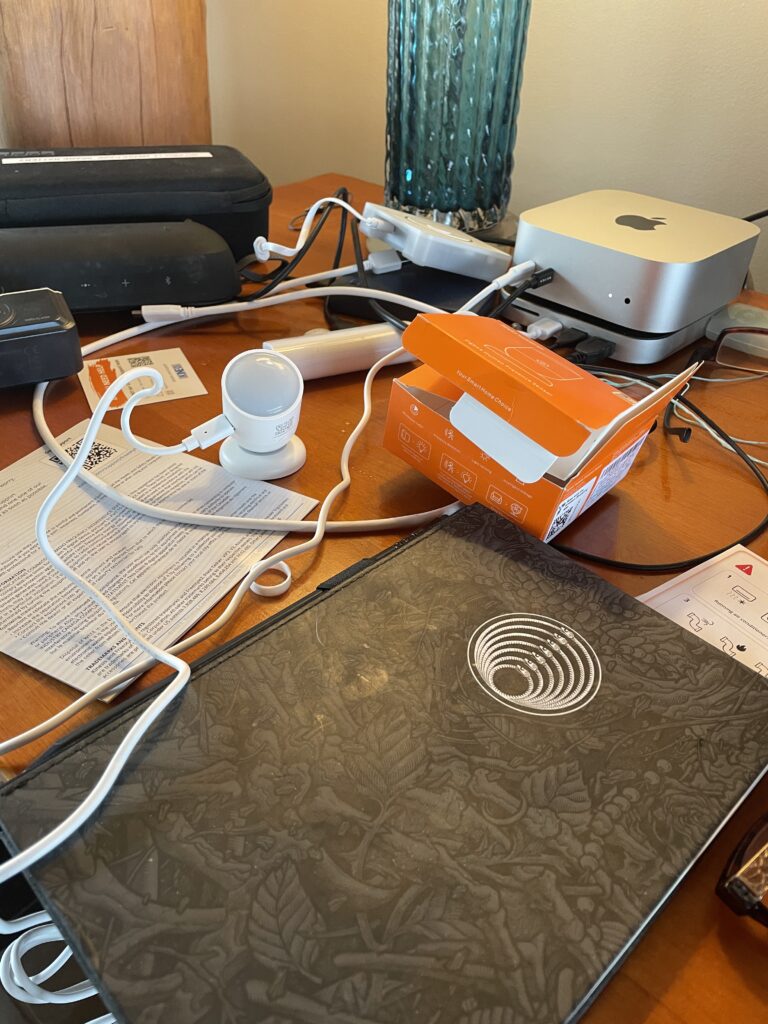
What You Need
Sonoff SNZB-06P (about $15-20 on Amazon or AliExpress)
A Zigbee coordinator running ZHA or Zigbee2MQTT in Home Assistant. If you have the EMS installed you probably already have ZHA running.
A USB-C power source near your installation location — a standard USB charger works fine
That’s it. No hub, no cloud account, no subscription. It pairs directly to your existing Zigbee network.
Pairing with ZHA
If you’re running ZHA (Zigbee Home Automation) in Home Assistant, the SNZB-06P pairs in under a minute:
- In Home Assistant, go to Settings → Devices & Services → Zigbee Home Automation → Add Device
- On the SNZB-06P, hold the button on the back for 5 seconds until the LED blinks slowly — this puts it in pairing mode
- ZHA will find it automatically. Accept the pairing.
- Name it something meaningful — “Living Room Presence” rather than the default device name.
Once paired, you’ll have these entities in HA:
binary_sensor.sonoff_snzb_06p — your main occupancy sensor (on = presence detected)
number.sonoff_snzb_06p_presence_detection_timeout — how long before it clears after no detection
select.sonoff_snzb_06p_detection_sensitivity — High / Medium / Low
update.sonoff_snzb_06p_firmware — OTA firmware updates
Tuning: Two Settings That Matter
- Set Sensitivity to High
The default is Medium. High gives you the full 4-meter detection range and picks up subtler presence like someone sitting very still. For most rooms this is what you want. If you’re getting false positives from pets or movement outside a window, you can dial it back.
In HA: click the Detection sensitivity entity and select High. - Set Timeout to 15 Seconds
The timeout controls how long after the last detected presence the sensor waits before reporting “clear.” The default is much longer. For EMS use you want this short — 15 seconds means the system responds quickly when a room actually empties. If you don’t want the AC to go off as soon as you leave the room, set it longer.
Note: firmware v1.0.5 or later is required for timeouts below 30 seconds. Check your firmware entity — if it shows an update available, install it first.
Our test unit shipped with firmware 0x00001006, which is newer than the current listed latest (0x00001005). If yours is already on 1.0.5 or later, you’re good to set 15 seconds immediately.
The Automation: Presence-Aware AC Control
Here’s the YAML for the two core automations. This is just sample YAML using actual entity IDs from a paired SNZB-06P — substitute your own AC entity or just ask Claude to build it for you:
Turn off AC when room empties
automation:
- id: ac_off_on_no_presence alias: “AC off when living room unoccupied” trigger:
- platform: state
entity_id: binary_sensor.sonoff_snzb_06p
to: “off”
for:
seconds: 30
action: - service: climate.turn_off
target:
entity_id: climate.living_room_ac
- platform: state
Turn on AC when presence detected (if warm)
- id: ac_on_presence_detected alias: “AC on when living room occupied and warm” trigger:
- platform: state
entity_id: binary_sensor.sonoff_snzb_06p
to: “on”
condition: - condition: numeric_state
entity_id: sensor.living_room_temperature
above: 25
action: - service: climate.turn_on
target:
entity_id: climate.living_room_ac
- platform: state
The 30-second for: delay on the shutoff automation prevents the AC cycling off and on if you briefly leave the room to grab something from the kitchen. You can tune this to your preference.
Combining With Solar Awareness
On its own, presence detection prevents waste. Combined with your solar production sensors, it becomes part of a genuinely intelligent system:
Nobody home + solar producing → charge the battery, don’t run AC
Someone home + solar above 500W → run AC from direct solar
Someone home + battery above 40% + grid peak rates → run AC from battery storage
Room empty regardless of solar state → AC off, no exceptions
The presence sensor is the veto layer. No matter what the solar or battery logic says, if nobody’s in the room the AC doesn’t run. That single rule can recover hours of stored energy per day that would otherwise be wasted conditioning empty space.
Installation Tips
Mount at 1.5–2 meter height, pointed into the room — the spec sheet says maximum 2 meters
Keep it away from fans, curtains, and plants — anything that moves will look like presence to a radar
Multiple sensors in the same space should face the same direction or back-to-back, not facing each other, and at least 1 meter apart
USB-C cable length gives you some flexibility — a right-angle USB-C adapter helps with wall mounting
The magnetic mounting base that comes in the box works well on metal surfaces; use the adhesive pad on drywall
Next post: The Seeed Studio MR60BHA1 — 60GHz mmWave presence detection with breathing and heart rate monitoring. More capable, more complex, and a natural upgrade for spaces where the SNZB-06P reaches its limits.